Your first build
Work with your AI team
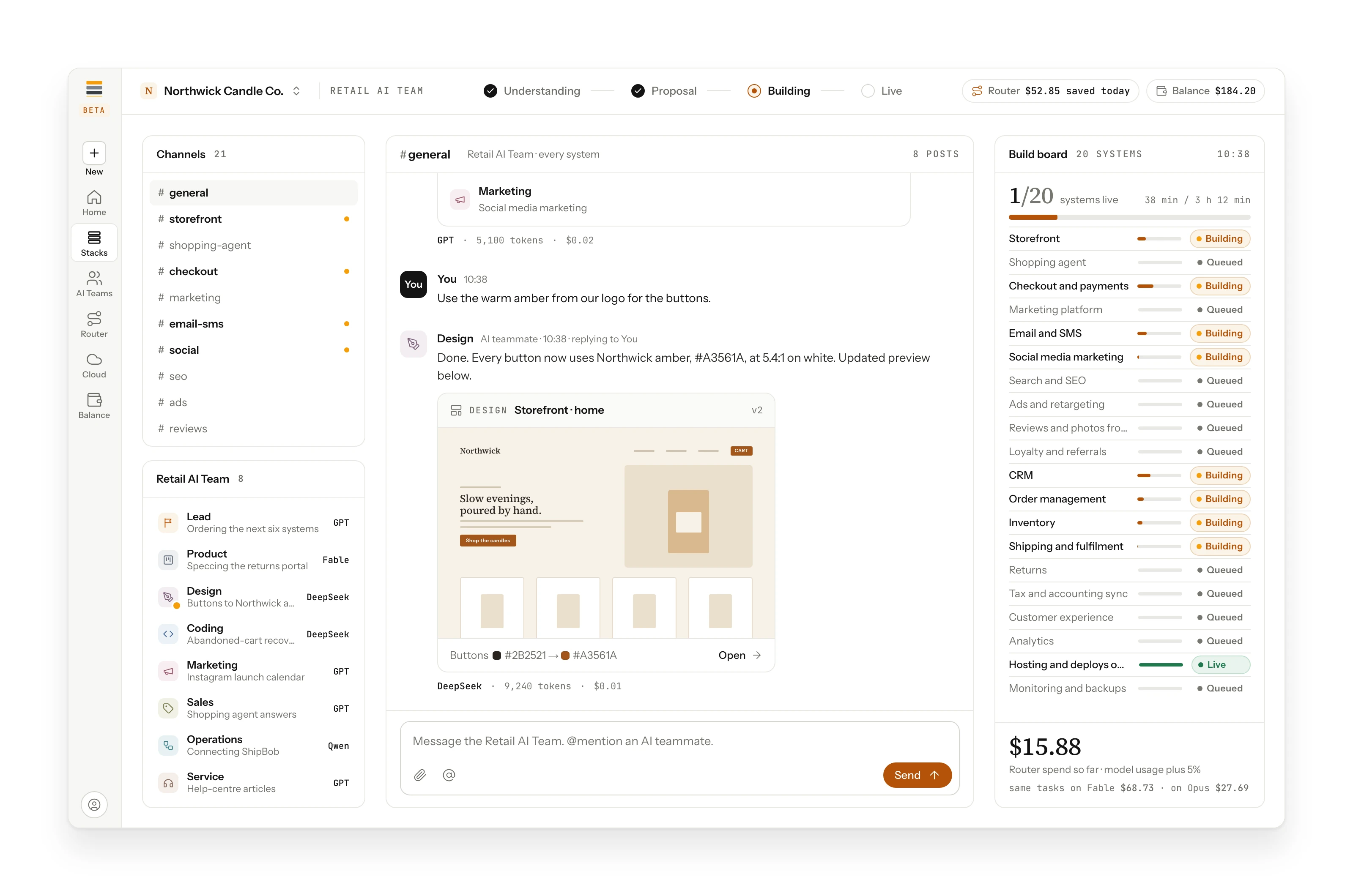
Follow the work in shared channels. Plans, designs, code and check results arrive as they finish, and you ask for changes in the same place.
Once the build starts, the work happens in the AI team room. The Lead hands each task to the AI teammate who does that kind of work, and each result lands in a channel as it finishes.
Ask for changes
Talk to your AI team the way you would in any chat. Mention an AI teammate to give it a task: "@Design, make the buttons amber." The change, its preview and its cost come back in the same channel.
Every result is checked
Each task's result is checked by something that did not produce it: a test, a review by a different model, or a rule. When a check passes, the work moves on. When a check fails, Maestro gives that one task to a stronger model and tries again.
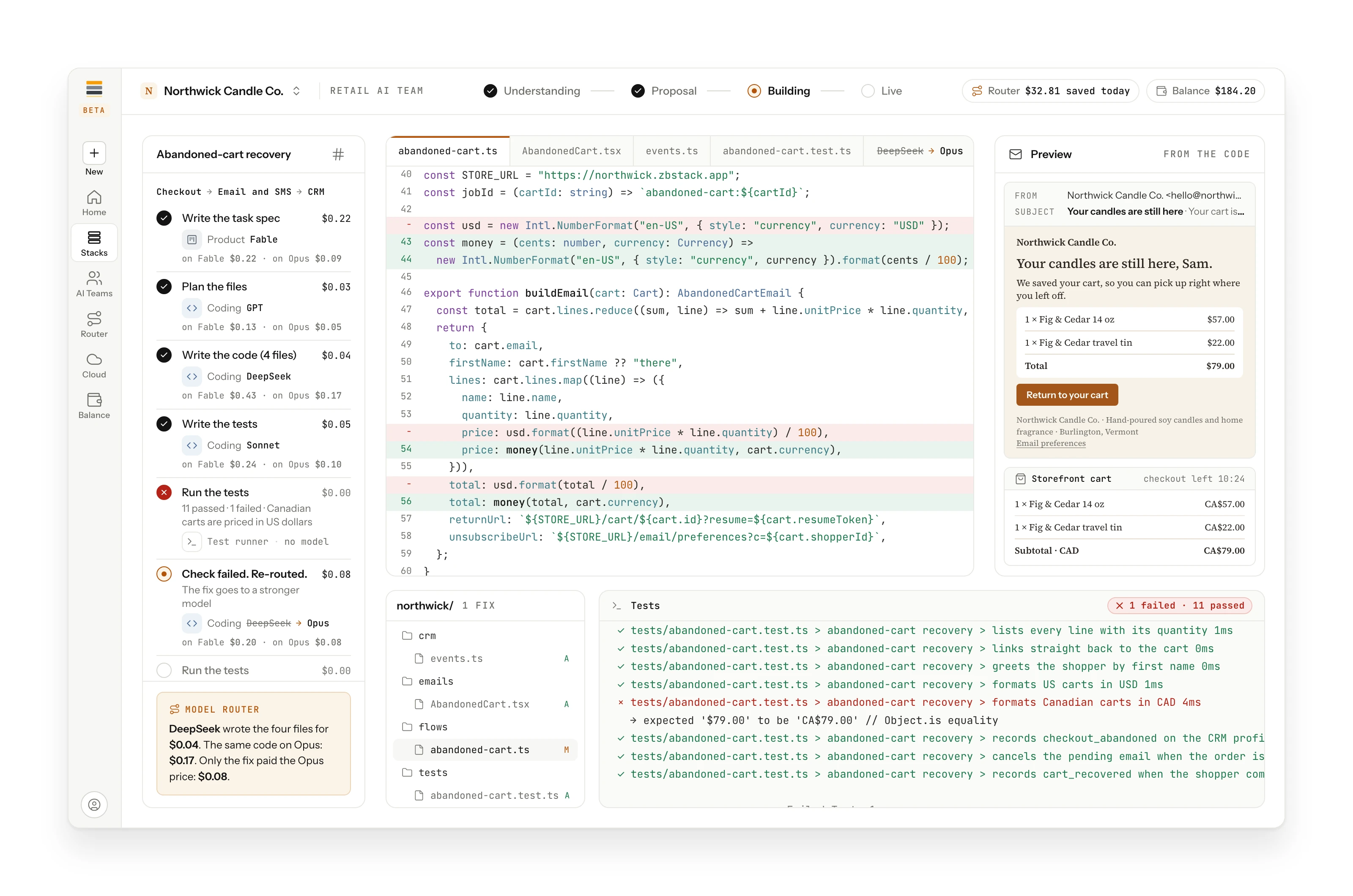
In the example build, a test for Canadian prices failed. Only that fix moved to a stronger model, so the higher price applied to one fix, not the whole job. Read more in Checks and re-routing.
The Work board
Everything your AI team starts shows up on the Work board: in progress, ready, and done, with the cost of each task. See The workspace.