Your first build
Describe it
Start with one paragraph about the business you want to run. Your AI team asks for anything else it needs.
Your first message in a new workspace is a description of your business. It goes to the Lead, the AI teammate that turns goals into plans.
What to write
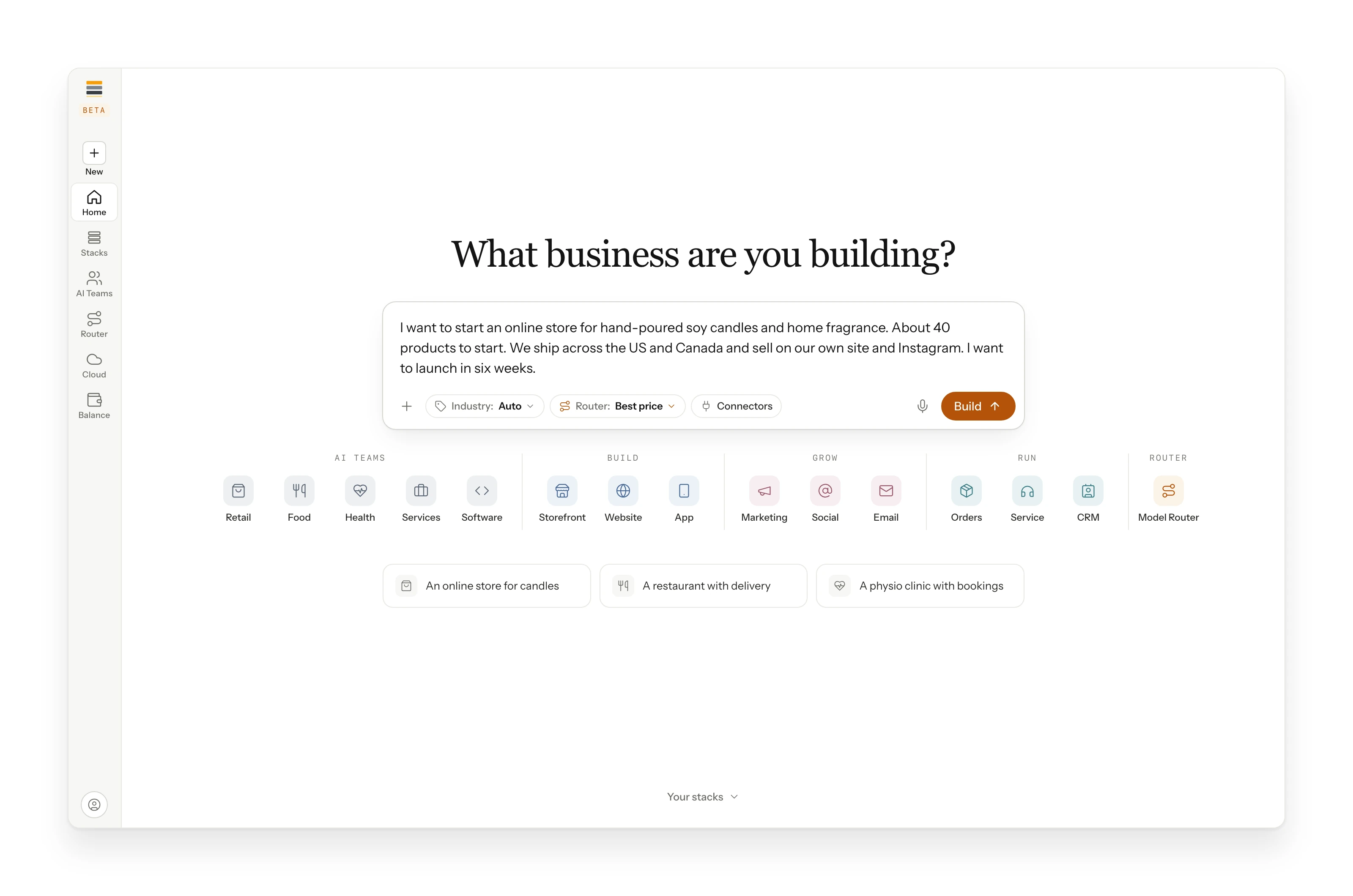
Say what you sell, who buys it, and what you need next. Plain words are perfect. Here is the paragraph from our example build:
A good description answers four things:
| Question | Example |
|---|---|
| What do you sell or offer? | Hand-poured soy candles and home fragrance, about 40 products |
| Who is it for? | Shoppers across the US and Canada |
| What do you have already? | Their own site and an Instagram account |
| What do you need next? | An online store, launched in six weeks |
The three settings
Next to the prompt are three settings. You can leave all three as they are.
- Industry. Your AI team plans the way businesses like yours find customers, sell and deliver. See Industries.
- Router mode. How Maestro weighs quality, price and speed. The example build used Best price: each task goes to the best model for it at the lowest price.
- Connected tools. Accounts your business already uses, such as a payment provider or a store platform, so the AI team can build around them.
Was this page helpful?Thank you. Tell us more at apply@zbstack.xyz.